Keymapping issue
what is wrong with this game my problem is with keybinding and i'm a m&k player:
First of all they keep reseting my keybinds unannounced not cool
Second of all this time when they reseted me yesterday i couldn't even do my same set up again at all
-Which consists on playing with the double thumb preset all i do is change the tackle to E instead of the upper side mouse button which some people call it "Mouse 4" that it is already on it by default.
-Change the goalkeeper jump from Space to that "Mouse 4" button.
It has been and always what i played with and i've gotten so used to it that i can't play with anything else and just now i find out that when i'm doing it now it gives me the error provided here
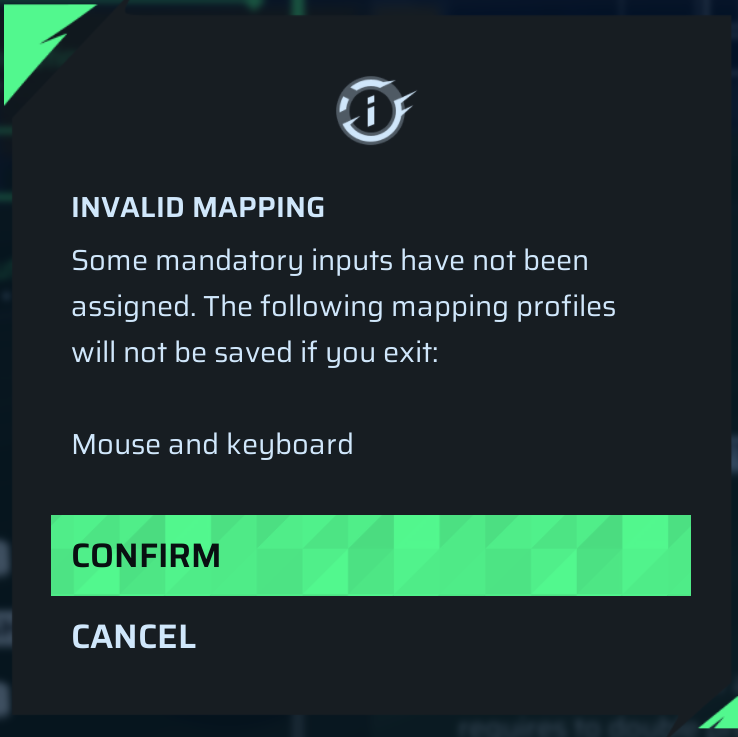
"INVALID MAPPING
Some mandatory inputs have not been assigned. The following mapping profiles will not be saved if you exit:
Mouse and keyboard
Confirm
Cancel"
Now here's the funny part pressing Confirm will reset the setting and waste all the changes you did.
Pressing Cancel takes you back to the page without SHOWING YOU WHAT'S WRONG every single bind is filled with an input so there's nothing THAT'S INVALID like the game states.
Q: Use modifier
A: Using modifier would send you into keybind that are very different from what you use so it's just the same as just playing with random keybinds
So please help me how can i fix this and just do WHATEVER INPUTS I WANT it baffles me that the game can't even handle that and i hope i look like one stupid guy because i missed something obvious otherwise this is just embarrassing to have in a game even.
Comments: 3
Oldest
•
Newest
•
Most likes
•
Fewest likes
-
19 Jul
ShikorohHighlighted comment
Hello ! same issue here, i asked Claude AI by providing him the whole "Runtime/Saved" files in appdata, and he found out that it was because of keyboard format. I'm french and I have a AZERTY keyboard. I tried to switch to QWERTY and then the error "invalid mapping" doesn't appear anymore, i can now set my keybinds like I wish. For now you just need to play QWERTY I guess.
Here is the Claude AI reply in french :
Le jeu détecte que tu utilises un clavier AZERTY et essaie de charger un fichier interne nommé DefaultAZERTYMapping/CustomModifierAzertyKeyboardMapping.
À cause de ça, le jeu échoue à assigner les touches par défaut à une grande partie des actions essentielles du jeu.
CustomModifierAzertyKeyboardMapping... Could not find template object.
Thanks guys and hope to see a fix for AZERTY keyboards -
23 Jun
Tekkers AdminThanks for the report.
I tried reproducing this setup but couldn’t trigger the invalid mapping error on our side. Could you please share your log file and confirm whether this happens every time with the Double Thumb preset?