Did the latest update remove DLSS?
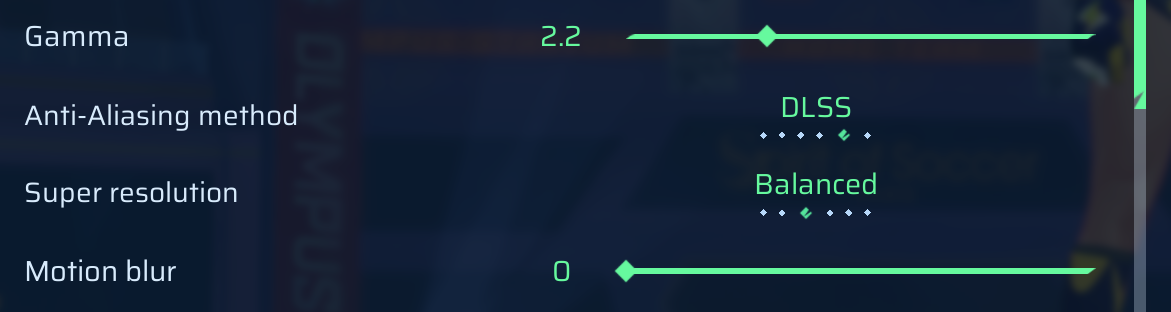
After the new update, I can't find the DLSS option anywhere in the graphics settings anymore.
Before the update, DLSS was available and working fine for me, but now the setting seems to be completely gone. I've checked multiple times and even restarted the game.
Comments: 11
Oldest
•
Newest
•
Most likes
•
Fewest likes
-
10 Jun
dohoHighlighted comment
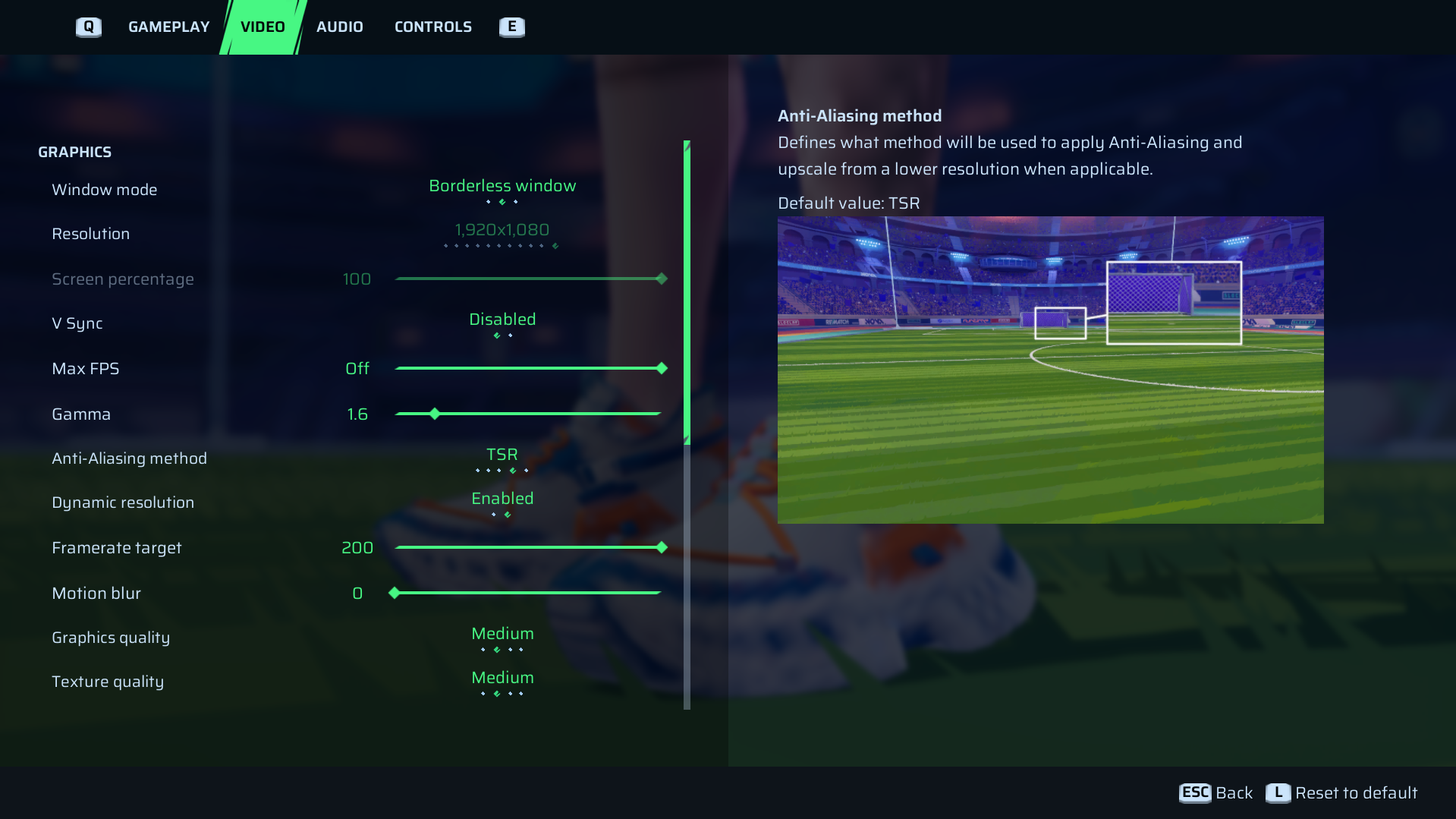
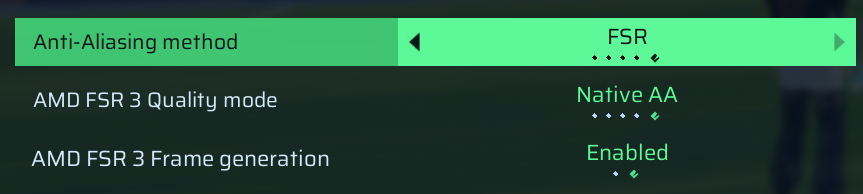
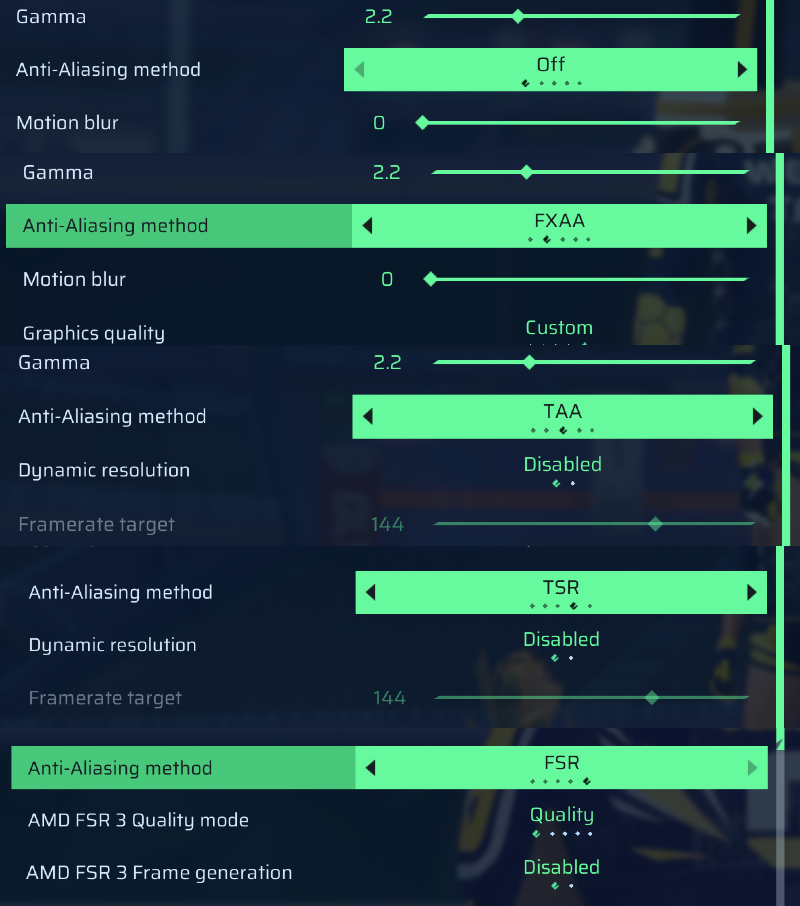
The Anti-Aliasing Method setting only has five options: Off, FXAA, TAA, TSR, and FSR. I have an RTX 3070, and up until now I've always been playing with DLSS enabled. -
10 Jun
dohoThe same situation here. From what I've found, DLSS has disappeared only in the Xbox PC version of the game. I tried tweaking the game's configuration files, but it didn't help. The game keeps reverting to the default TSR anti-aliasing setting. The issue persists even after reinstalling the game.
-
10 Jun
Tekkers2 AdminThanks for the report.
Could you confirm your platform and send us a picture or screenshot of the issue please? We are unable to reproduce the issue on our side and the option is available on live versions of the game.
Please keep in mind the DLSS feature is currently only available when using Nvidia RTX graphics cards. -
10 Jun
jackI'm playing on the Xbox PC version of the game (through the Xbox app on Windows). Since the latest update, the DLSS option no longer appears in the graphics settings.
I do have an Nvidia RTX graphics card, so my hardware should support DLSS. The option was available before the update and was working correctly, but now it's completely missing.
-
10 Jun
ZOSxxI may have found a solution. I checked the game logs and saw it tries to locate nvngx_dlss.dll, but fails. I looked at the paths it accesses, such as:
"\SLOCLAP.ProjectRuntime_1.204.2.0_x64__cse8z5zpmcvkt\Runtime\Binaries\ThirdParty\NVIDIA\NGX\WinGDK",
"\SLOCLAP.ProjectRuntime_1.204.2.0_x64__cse8z5zpmcvkt\Binaries\ThirdParty\NVIDIA\NGX\WinGDK",
"\SLOCLAP.ProjectRuntime_1.204.2.0_x64__cse8z5zpmcvkt\Engine\Plugins\Marketplace\DLSS\Binaries\ThirdParty\WinGDK".
I only had the initial folders; the rest of the path wasn’t there., even though I reinstalled the game. I manually created the missing directories and placed nvngx_dlss.dll there. After that, DLSS appeared in the game and seems to work.
Auto, Quality, and Balanced reduce the load on the GPU and increase FPS, but Performance and Ultra Performance actually increase GPU load. I may have used an incompatible version (nvngx_dlss_310.5.2) or missed other DLSS files.
I hope this helps the developers fix the issue.
-
10 Jun
jackFound the fix for the Xbox PC/Game Pass version.
The update seems to have removed the DLSS files. Download `nvngx_dlss.dll` and `nvngx_dlssg.dll` (I got them from TechPowerUp) and place them in:
`D:\WindowsApps\SLOCLAP.ProjectRuntime_1.204.2.0_x64__cse8z5zpmcvkt\Runtime\Binaries\WinGDK`
You may need to change permissions/take ownership of the `WindowsApps` folder first to access it.
After copying the files and restarting the game, DLSS immediately reappeared in the graphics settings and works normally again. -
11 Jun
Efe MergedLike i said, i dont see the dlss option when im playing on xbox gamepass version but when i play with steam i see it.
-
11 Jun
Tekkers2 System"XBOX Gamepass PC version DLSS Option is removed while it is still present in Steam version" (suggested by <Hidden> on 2026-06-11), including upvotes (1) and comments (0), was merged into this suggestion.
-
12 Jun
MertM MergedNone of my friends who play the PC version of Xbox can see the DLSS settings anymore. We're really having trouble with optimization.
-
13 Jun
Noble System"There are no DLSS settings in the PC version of Xbox" (suggested by <Hidden> on 2026-06-12), including upvotes (1) and comments (0), was merged into this suggestion.
-
19 Jun
Tekkers AdminThanks for the report.
We confirmed that DLSS can be missing from the Xbox PC/Game Pass version after the latest update. We’re tracking this on our side.
Please avoid manually modifying game files or adding DLLs from external sources while we investigate.
 Runtime_landkj.log